Online device profiles
Every yeon identity presents its own device to the websites you visit — the make-up of details a site reads to tell one computer from another. By default yeon builds each identity a coherent device of its own. Online device profiles changes where those details come from: each identity draws them from a library of real-world device profiles, so it reads as a distinct, genuine computer rather than one derived from yours.
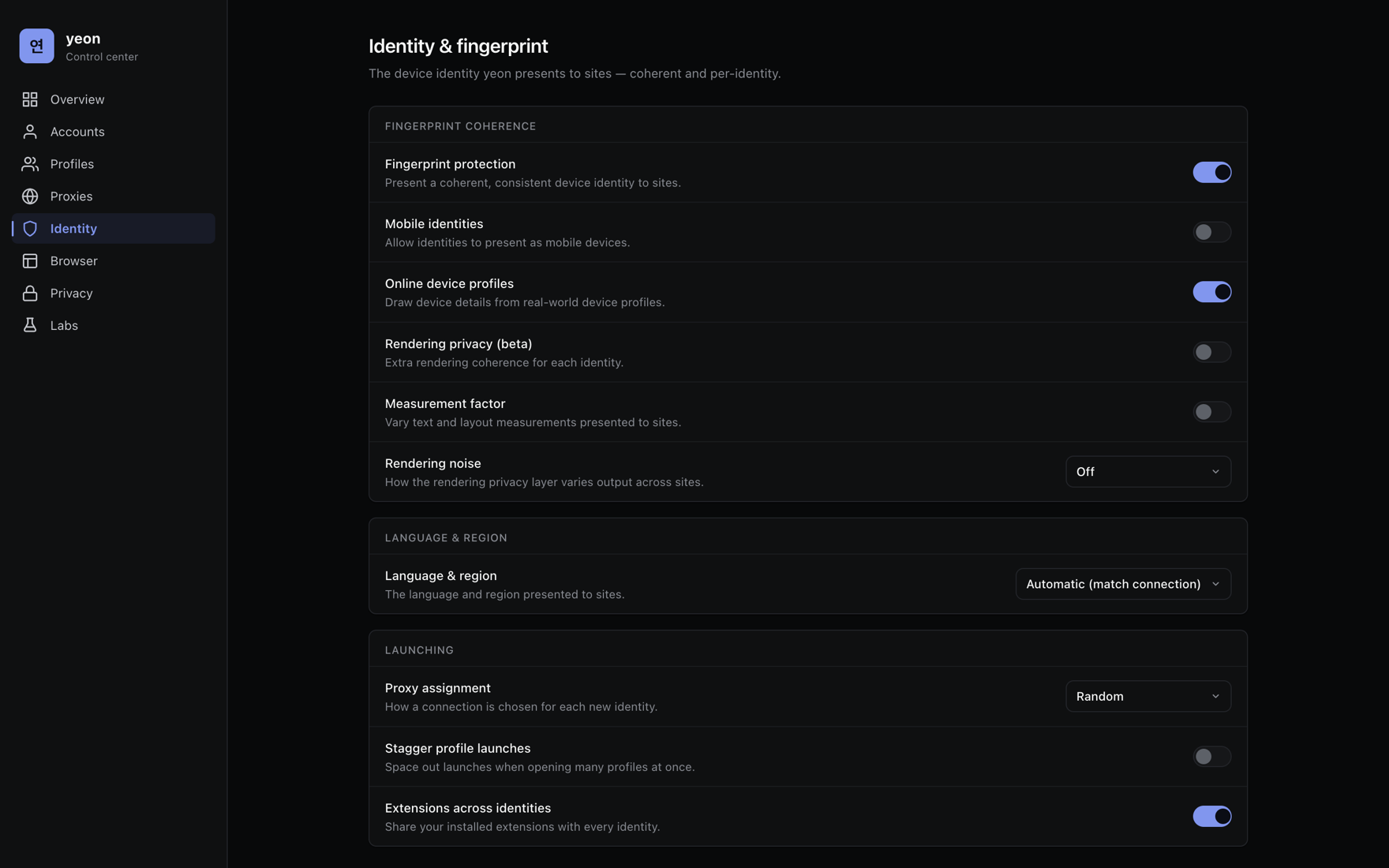
On vs. off
- On (default)
- Each identity's device details are drawn from a library of real-world device profiles — so each identity stands entirely on its own.
- Off
- Every identity still gets its own coherent, consistent device, built for it on your computer. Your identities are already separated from each other.
The same proxy always yields the same device; a different proxy yields a different one. So an identity keeps one device for as long as it keeps its proxy — the same computer coming back, never a new machine every visit. Giving each identity its own proxy is what makes it a separate device and a separate location. See Proxies & rotation.
Finding the switch
Online device profiles is on by default, so there is normally nothing to do. This is where to check it, or turn it off.
- Open the control center
Click the Home button, or type
chrome://yeon-homeinto the address bar. Choose Identity in the sidebar. See The control center. - Find Online device profiles
Its description reads "Draw device details from real-world device profiles." Leave it on to draw real-world devices; switch it off to have yeon build every identity's device on your own computer instead.
- Open your identities
New identities you open draw a real-world device. Identities you already had are refreshed once so they pick one up too.
Turned on, yeon asks a yeon server for a device profile. It is a download only — yeon never uploads anything about your own computer. The requests carry no license key and no device identifier, and the only site name ever sent is one already on yeon's own published list of supported sites; every other page you visit is never mentioned. See the Privacy Policy.
Just above it, Fingerprint protection — "Present a coherent, consistent device identity to sites" — is what gives every identity a separate, self-consistent device in the first place. Online device profiles builds on top of it; with protection off there is no per-identity device to enrich.
Good to know
- The device matches your computer's family. Profiles are drawn to line up with the kind of computer you are on, so an identity holds together as one coherent machine.
- Give each identity its own proxy. A separate device behind a shared IP is still tied to its neighbours by the network alone.
- Variety has a practical limit. How many identities can each be a different real-world device depends on how many suitable profiles exist for your kind of computer. Past that point yeon builds the next identity a fresh coherent device instead of reusing one, so identities stay separate either way — more proxies and locations is the surest way to keep them distinct.
Related
- Identities & profiles — how identities keep everything separate.
- The control center — where the Identity settings live.
- Proxies & rotation — the proxy each device is tied to.
- Troubleshooting — if two identities still look linked.